 Aliaro
The best apps to share a grocery list in 2026
If you're looking for an app to share your grocery list, there are plenty of options and they all look the same. The difference is what you need: just the shopping, or organizing the rest of the home too. Here's an honest comparison to help you choose.
This guide is written by the Aliaro team, one of the apps on the list. We've tried to be fair to all of them; features and prices change, so check each app's store listing before deciding.
What to look for in a shared list app
- Instant sync: if your partner checks something off at the store, you need to see it right away.
- Works on iPhone and Android: many households have both.
- Multiple lists: groceries, pharmacy, school supplies…
- Easy for everyone: if the app is complicated, the least motivated people will stop using it.
- What's beyond groceries: if you also want to organize chores, meals or expenses, one app beats five.
The most popular options
Google Keep (or Apple Notes)
Checklist notes you can share with other accounts. Free, and many people already have it. Fine for simple lists between two people, but it isn't built for shopping: it doesn't clearly separate bought items or group by store, and it gets mixed in with your other notes.
AnyList
A popular grocery list app, especially in the US, with shared lists, recipes and meal planning. A solid choice if your focus is shopping and cooking.
Bring!
One of the best-known grocery list apps in Europe. Very visual (items shown as icons), with shared lists, recipes and inspiration. Focused on shopping: if you want something just for that, it's a very polished option.
Listonic
Another popular grocery list app with shared lists, suggestions as you type and categories. Like Bring!, its strength is shopping itself.
Aliaro
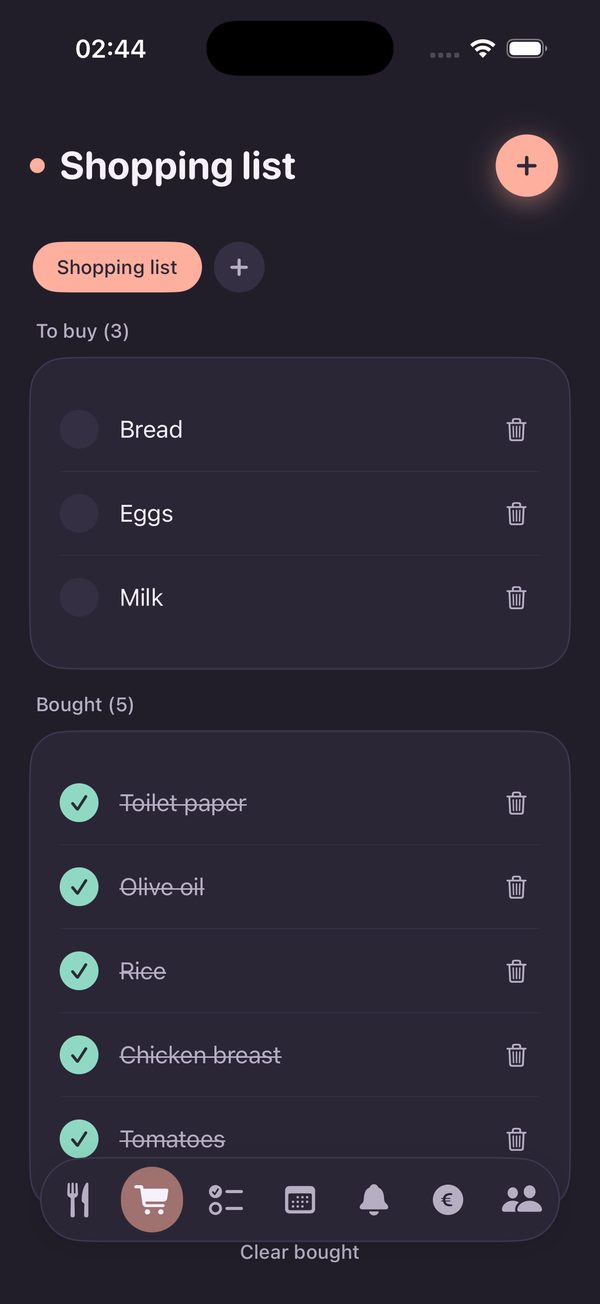
Our app. The grocery list is one part of a family organizer: the same group also shares chores, a weekly meal plan, a calendar, reminders and expenses. It has multiple lists, separates pending from bought and notifies others when someone adds an item. It's free with no ads, plus an optional subscription for extra features.
Summary table
| App | Best for | Keep in mind |
|---|---|---|
| Google Keep / Notes | Simple lists between two people | Not built for shopping |
| AnyList | Shopping plus recipes and meal planning | Focused on shopping and cooking |
| Bring! | A visual app just for shopping | Focused on shopping |
| Listonic | Grocery lists with categories and suggestions | Focused on shopping |
| Aliaro | Families who want groceries, chores, meals and expenses in one place | Everyone needs to join the group |
Which one to choose
- Two of you, just the list: a shared note or a dedicated shopping app is plenty.
- A family with kids or roommates: an app that also handles chores and expenses saves installing several.
- You plan your meals: look for an app that connects the meal plan with the shopping (read how to plan a weekly family menu).
Whatever app you pick, what really works is the habit: whoever finishes it, adds it.
Try Aliaro for free
The grocery list and everything else at home, shared with your family:
- Multiple lists synced instantly
- Chores, meals, calendar and expenses
- iPhone and Android, no ads