 Aliaro
How to share a grocery list with your family (and never forget the milk again)
You remember you're out of milk right when you reach the checkout. Or worse: you both buy milk on the same day. Sharing the grocery list sounds trivial, but it's one of the most common sources of friction at home. Here's how to set it up so it actually works.
Why shared lists fail
It's rarely about willpower. It fails for three very specific reasons:
- The list isn't where you are. A paper list on the fridge is useless when you run out of shampoo in the shower or when you're already at the store.
- Nobody knows what's already been bought. If items aren't checked off in real time, things get bought twice or not at all.
- Only one person keeps it up. When the list depends on one person, that person ends up carrying the whole mental load of shopping.
Whatever system you choose has to solve those three things: always be in everyone's pocket, update instantly, and make adding an item take two seconds.
Your options, compared
| Option | Pros | Cons |
|---|---|---|
| Paper on the fridge | Visible to everyone at home, zero learning curve | Not with you at the store; nobody knows what's been bought |
| Family group chat | Everyone already has it | Items get lost between messages; you can't check them off |
| Shared note (Notes, Keep) | Free, you can check items off | Conflicts when two people edit at once; mixed in with other notes |
| Family organizer app | Syncs instantly, separates bought from pending, notifies others | Everyone needs to install it |
If you're two people and don't buy much, a shared note may be enough. With three or more people, or a big weekly shop, it pays to use something built for the job (see our comparison of shared grocery list apps).
A 5-step system that works
1. One list, in one place
Pick a single place and drop the rest. Two lists (one on the fridge, one on your phone) are the same as none.
2. Golden rule: whoever finishes it, adds it
Whoever eats the last yogurt adds it right then. Not "later", not "I'll tell Mom". This one rule removes most forgotten items.
3. Check items off at the store, in real time
Mark each item as you shop. That way, if someone else stops at another store the same day, they know what's really missing.
4. Build the list from the weekly menu
If you plan your meals (here's how to plan a weekly family menu), go through the dishes and add the ingredients before you shop.
5. Separate lists for separate stores
Supermarket, pharmacy, hardware store… Separate lists stop you from searching for light bulbs in the grocery aisle.
Get the kids involved: each one adds what they run out of (cereal, shampoo, school supplies). They learn responsibility, and you stop being the household's only memory.
Common mistakes
- Vague items. "Cheese" isn't the same as "grated cheese for pasta". Be specific.
- Never cleaning the list. Clear or archive what's been bought; a list full of crossed-out items puts people off using it.
- Imposing the system. Ask everyone what's easiest for them. If someone won't use it, the system doesn't work.
How Aliaro does it
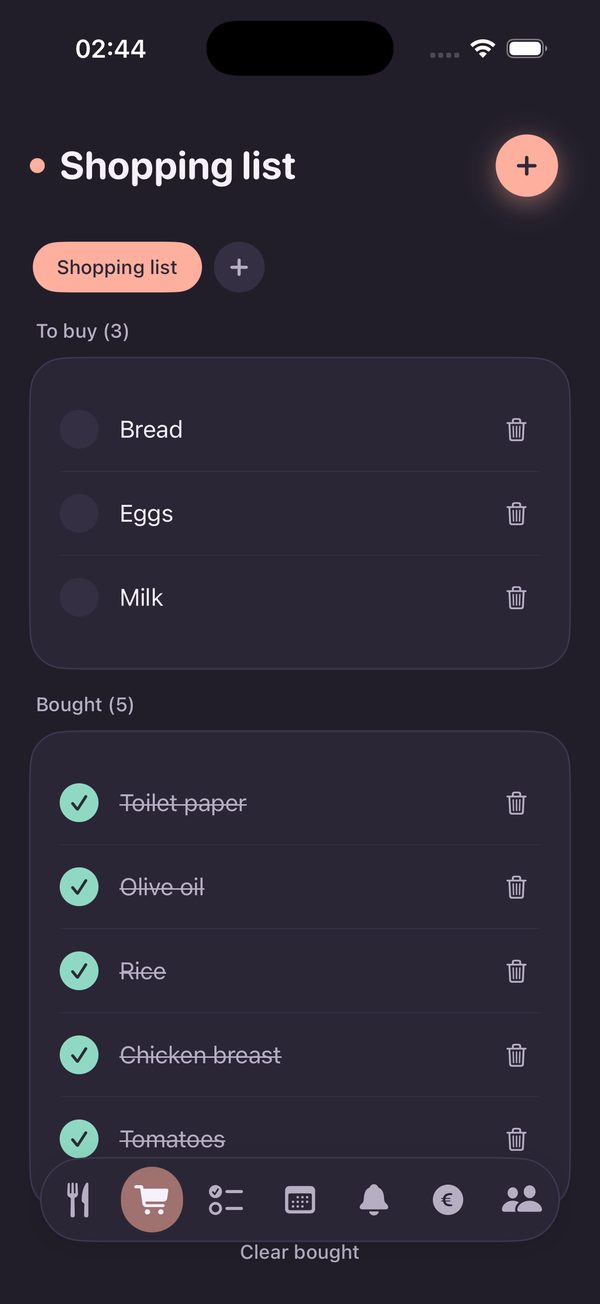
Aliaro is a free app to organize your home as a family. The grocery list is shared with your whole family group and syncs instantly:
- Multiple lists (groceries, pharmacy…)
- Pending and bought kept separate
- Notifications when someone adds something
- Works offline at the store