 Aliaro
Shared family calendar: how to organize everyone's schedule
Soccer on Tuesdays, music lessons on Thursdays, one kid's dentist, another's parent-teacher meeting and grandma's birthday. When everyone keeps their schedule in their head, someone ends up late or without a gift. A shared family calendar fixes that.
What to put on the family calendar
- After-school activities and practices, with who drops off and who picks up.
- Medical appointments for everyone, including check-ups and vaccines.
- School dates: field trips, meetings, days off and holidays.
- Birthdays and celebrations, with a reminder a few days ahead for the gift.
- Trips and work shifts that affect how the home runs.
- Payments and renewals: car insurance, inspections, school fees.
Paper, Google Calendar or a family app
| Option | Pros | Cons |
|---|---|---|
| Paper calendar in the kitchen | Very visible, great for young kids | Not with you, no reminders |
| Shared Google Calendar or iCloud | Free, reminders, fits with work calendars | Mixes work and family; awkward when some use iPhone and others Android |
| Family organizer app | Built for families, alongside groceries, chores and meals | Everyone needs to install it |
How to set it up in 4 steps
1. One calendar for everyone
The family calendar is separate from each person's work calendar. Only what affects the household goes there.
2. A color per person
At a glance you know whose event it is and who has the busiest week.
3. Add things as soon as they arrive
The school email, the doctor's text: add it right away. If it's left "for later", it's forgotten.
4. Useful reminders, not noise
One reminder the day before for important things and another a few hours before appointments. Too many notifications and people ignore them all.
The Sunday routine
Ten minutes on Sunday, with the whole family, to go over the week: who drives whom, which nights dinner is late and what needs preparing. It's also the perfect moment to plan the weekly menu and review the chores.
If your kids are older, let them add their own plans. They gain independence, and you stop being the whole family's planner.
How Aliaro does it
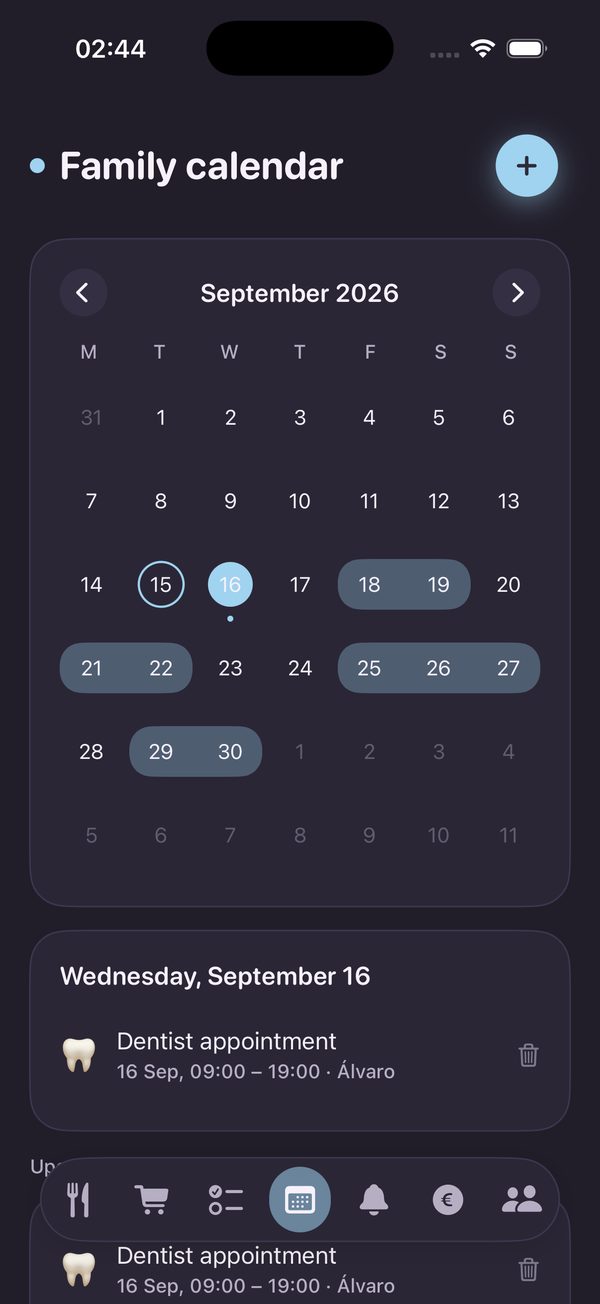
Aliaro includes a family calendar shared with your whole group:
- Everyone's events in one calendar
- Colors per event
- Works on iPhone and Android together
- Per-person view (Premium)